
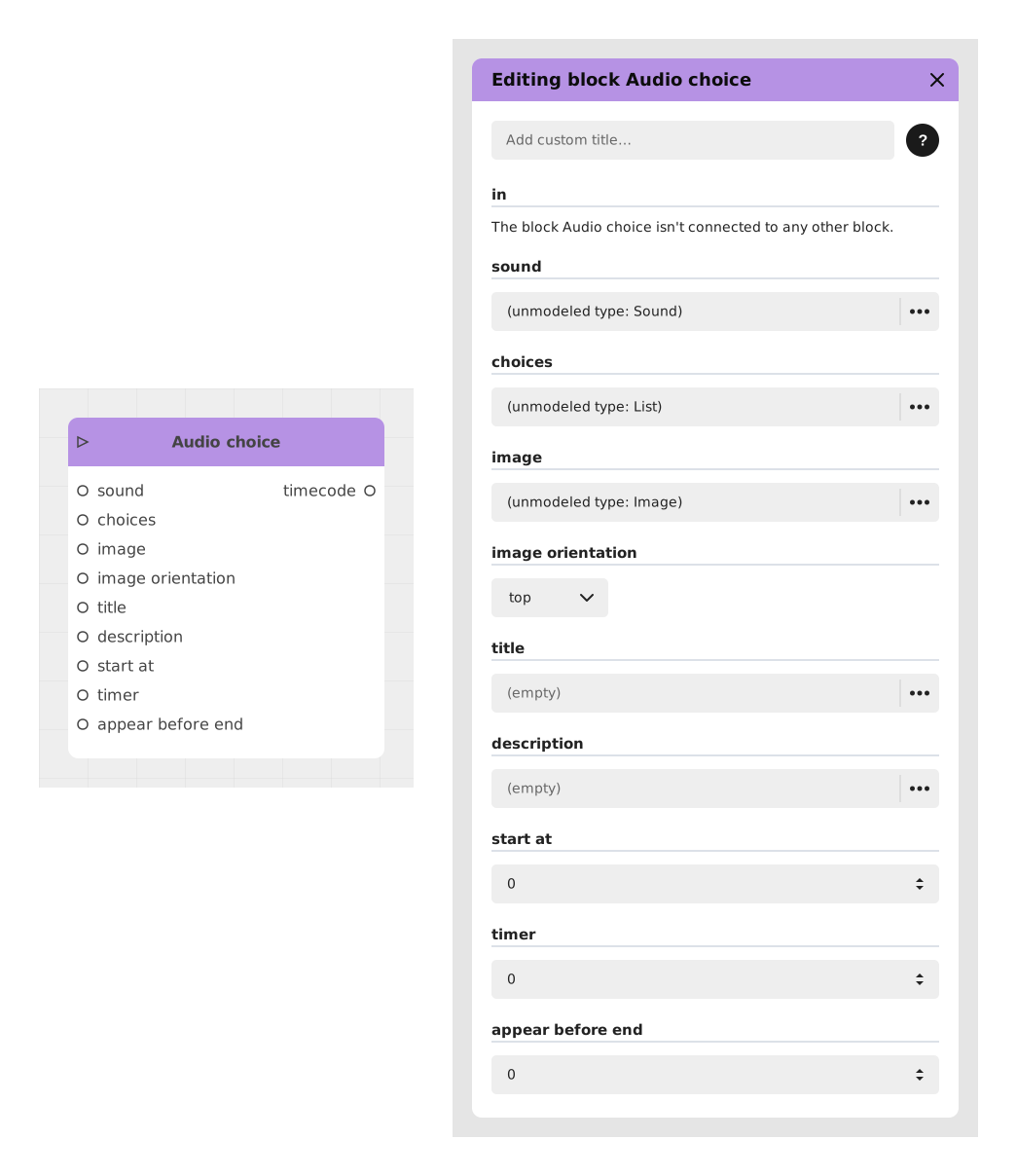
The Audio choice block presents the player with a set of choices centered on an audio clip, optionally illustrated by an image, typically used to let a character "say" something the player reacts to.
📥 Inputs
- in: Triggers the block and pauses the experience until the player picks a choice.
- sound: The audio file played when this choice screen appears.
- choices: The list of text options offered to the player (add one or more "Text" entries).
- image: An optional illustration displayed alongside the choices.
- image orientation (default: top): Where the image is placed relative to the choices.
- title: An optional heading displayed above the choices.
- description: An optional supporting text displayed with the choices.
- start at (default: 0): Delay before the choices become selectable.
- timer (default: 0): Optional countdown before the choice is made automatically (0 = no timer).
- appear before end (default: 0): Lets the choices appear before the audio finishes playing, by the given amount of time.
📤 Outputs
- One dynamic output per choice, activated when the corresponding option is selected.
- time out: Only appears if a timer is set (greater than 0). Taken if the countdown runs out before the player picks a choice.
- timecode: The point in the audio (in seconds) at which the player made their choice.
💡 Example of use
Scenario: A character asks a question out loud
- The sound input plays the voice-over of a character asking "What do we do now?".
- Two choices are added: "Run away" and "Fight back".
- A portrait of the character is set as the image, positioned on top.
- Once the audio finishes playing (or after the configured timer), the player selects an option, and the flow continues from the matching output.
🧩 Availability and rendering by template
- Available in the Chatbot and Visual Novel templates.
- Visual Novel: the block appears full screen on a semi-transparent veil. An audio player (play/pause and position bar) comes with the image, the title, the description (collapsible with "Show more") and the choices. The image moves under the text when it does not fit beside it. The timer, if set, is shown as a time bar. The choices have no dedicated style: the title uses the project's input header style. If no choice is offered and there is no timer, a Continue button lets the player move on.
Available in the Visual Novel template from Creator version 6.1.
⚙️ Technical Details
- Shared block: Audio choice belongs to no particular template and is offered by the Chatbot and Visual Novel templates.
- Related blocks: see also the generic Choice and Video choice blocks.
Documented version: v2