
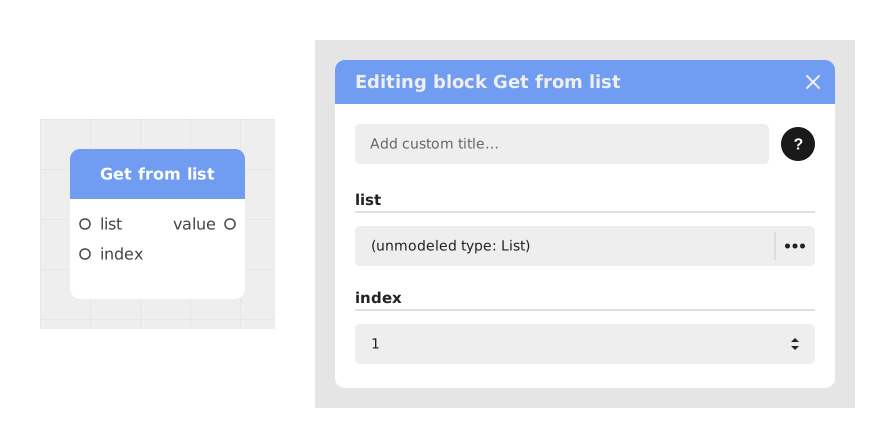
The Retrieve from a list block allows you to precisely access an element stored in a collection (list/array) by specifying its index.
This block is essential for manipulating structured data, such as extracting a user choice, displaying a specific element of a ranking, or retrieving a previously selected random value.
📥 Entries
- list (List/Array): The source collection containing the elements to browse.
- index (Number): The numerical position of the element to extract (1 for the first element, 2 for the second, etc.).
📤 Outings
- value (Dynamic variable): The value extracted at the specified index, whose type depends on the contents of the list (text, number, image, etc.).
💡 Example of use
Scenario: Display the middle name of a list of participants
- You have a first names list containing ["Emma", "Lucas", "Chloé", "Noah"] in your graph.
- You want to display only the middle name in a speech bubble.
- Use the Retrieve from list block and connect the first names variable to the list input.
- Enter 2 in the index entry to target the second element.
- The output value returns "Lucas", which you can directly display or use in the rest of the flow.
⚙️ Technical Details
- Error handling: If the index exceeds the list size, the block does not crash — it returns an empty/default value (the expected type is kept, but with no content). This is not a strict null, so check for this case downstream if needed.
- Indexing: Celestory uses readable numbering (1 = first element). An index of 0 or less is automatically brought back to the first element of the list.
Documented version: v1