
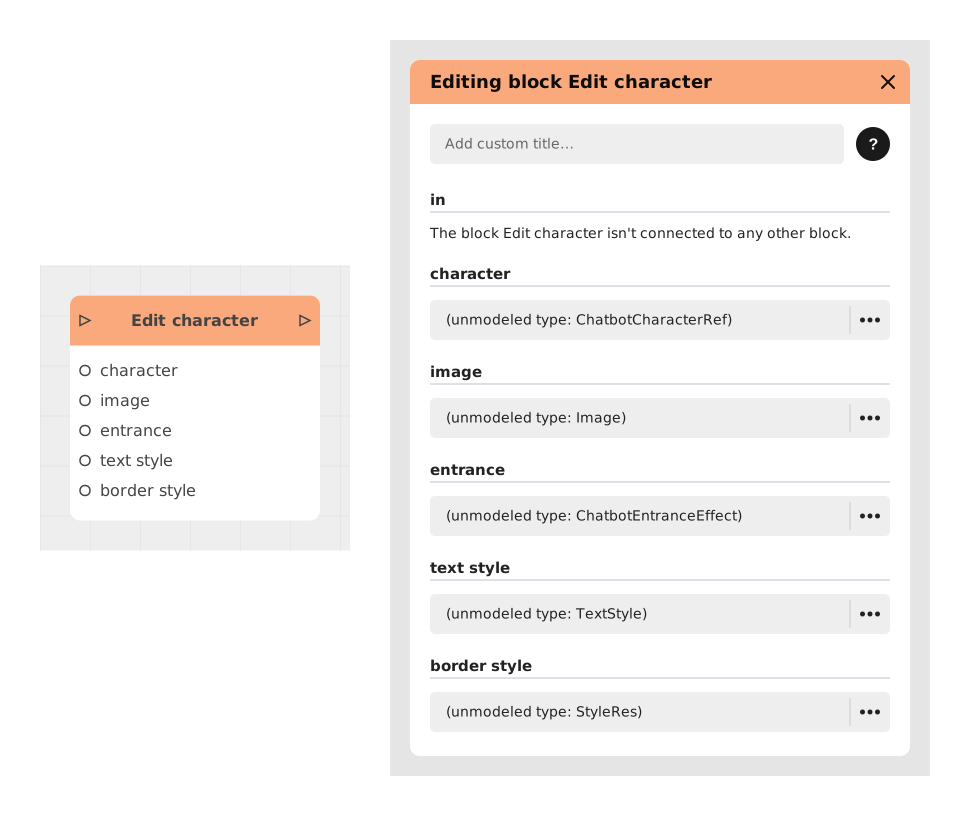
The Modify character block allows you to dynamically update the attributes and visuals of a character during the execution of the application (e.g. chatbot), without having to recreate a new character.
This block is particularly useful for reflecting changes in the emotional or contextual state of a character (eg: transition from "Happy Bob" to "Sad Bob") by modifying its avatar, its text style or its animation effects.
📥 Entries
- in (Flow): The narrative flow triggering the character modification.
- character (ChatbotCharacterRef): Static reference of the character to modify.
- image (Image): (Optional) New image resource for the character avatar.
- entranceEffect (Animation): (Optional) Animation effect when the character appears (e.g. entry from the left).
- textStyle (TextStyle): (Optional) Text style applied to character messages (font, color).
- borderImage (Style): (Optional) Style of chat bubbles (background, border) — not a plain image, but a style resource that can itself contain an image.
📤 Outings
- out (Flow): Outgoing flow activated after applying changes to the character.
💡 Example of use
Scenario: Emotional evolution of a character in a quiz
- A “Quiz Master” character is created with a neutral avatar and a blue text bubble.
- The user correctly answers a difficult question.
- The Edit Character block is triggered to target “Quiz Master”.
- The image entry is updated with a smiling avatar, and textStyle turns green.
- During the next interaction, the character appears with their new style, reflecting their satisfaction.
⚙️ Technical Details
- Options management: Optional entries not provided retain their previous value.
- Performance: Modifications are applied in real time without reloading the character.
- Compatibility: Works with all blocks displaying characters (eg: showText, showCharacter).
Documented version: v1